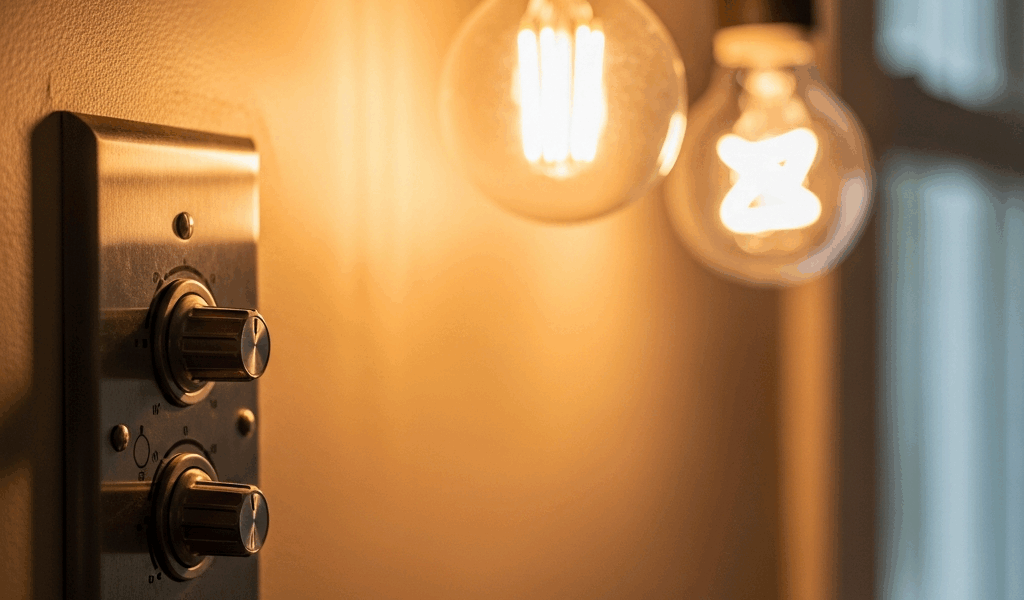
Why Dimmers Cause Flickering — It’s Usually Not Broken
Dimmer switch flickering has gotten complicated with all the misconceptions flying around. The good news: it’s rarely a sign your dimmer is dying.
Here’s what actually happens inside that wall switch. A traditional dimmer doesn’t reduce voltage smoothly — not like you’d think, anyway. Instead, it chops the AC power wave into fragments by cutting it on and off dozens of times per second. Your incandescent bulb’s hot filament stays glowing through those interruptions because the metal has thermal inertia. LEDs, though? They’re solid-state electronics. They see those power interruptions and respond literally, flickering in sync with the dimmer’s cycle.
The three main culprits are LED bulb incompatibility, dimmer type mismatch, and wattage overload. Probably should have opened with this section, honestly — most people jump straight to assuming their dimmer is defective when it’s just not designed for their bulbs.
This isn’t a wiring failure. It’s a compatibility mismatch between old switch technology and new bulb types. Completely fixable.
Check Your Bulb Type First
Start by identifying what’s actually in your fixtures. Most flickering complaints trace back to LED bulbs on dimmers that predate 2015. Here’s the diagnostic process.
Walk to the flickering light. Turn off the switch — safety first. Look at the bulb packaging or the bulb base itself. You’re looking for one of three things:
- Incandescent — Traditional screw-in, warm, dimmable on almost any dimmer. The pear-shaped or candle-shaped ones. These rarely flicker unless the dimmer itself is dying.
- CFL — Compact fluorescent, spiral-shaped, sometimes labeled “energy-saving.” Most CFLs aren’t dimmable at all. If they are, they flicker on older dimmers because they contain ballasts that struggle with interrupted power.
- LED — Light-emitting diode, looks like incandescent or other shapes, often labeled “LED” or “60W equivalent.” This is the culprit 80% of the time.
Now check the packaging for the word “dimmable.” Non-dimmable LEDs will flicker or strobe constantly on any dimmer — it’s not a bug, it’s a design choice. The bulb wasn’t built to handle the power-cutting that dimmers do. A standard A19 non-dimmable LED from Philips Hue costs $3-8. A dimmable version of the same bulb? You’re looking at $8-15.
I made this mistake myself. Bought 10-packs of cheap Cree LEDs at Home Depot for $20, installed them on my dining room dimmer, and spent two weeks squinting through a light show before checking the label. They weren’t rated for dimmers. Swapped to Lutron-compatible Philips Wiz dimmable bulbs at $12 each, and the flickering stopped instantly.
If your bulbs are dimmable LEDs and still flickering, move to the next section. If they’re non-dimmable, buy dimmable ones first before calling anyone.
Test Dimmer Compatibility and Wiring
Dimmers made before 2015 often use TRIAC switching, which works fine with incandescent but creates noise for LED drivers. Newer “LED-compatible” dimmers use trailing-edge or leading-edge designs specifically tuned for solid-state bulbs. The brand and model matter here.
Here’s your testing sequence:
Test one: Replace the flickering dimmable LED with an incandescent bulb in the same fixture. Adjust the dimmer through its full range. If the incandescent stays steady and the LED flickered, your dimmer is probably just old. If the incandescent also flickers, the dimmer itself is likely failing or the wiring has a real problem.
Test two: Check the dimmer model. Most residential dimmers have the brand stamped on the faceplate or inside. Common brands include Lutron (the premium option), GE, Leviton, and basic store brands. Lutron Diva dimmer runs around $20 and works with LEDs. GE Enbrighten at $15-25 is built for LED. Older basic toggle dimmers? Almost never work smoothly with LEDs.
Test three: Move the dimmable LED to a different room with a different dimmer. Flicker gone? That other dimmer is incompatible. Flicker returns? The bulb itself might be defective, or there’s a wiring issue affecting multiple switches.
Pay attention to when flickering happens. Does the light flicker only when the dimmer is between 20-40%, then stabilize? That’s classic incompatibility — the LED driver needs a minimum load to operate cleanly. Does it flicker at all dim levels? The dimmer might be failing or overloaded. Does it flicker constantly, even at full brightness? The bulb is likely not rated for dimming on that switch.
Wiring issues usually present differently — bursts of flickering, or it stops when you touch the dimmer, or it affects other lights in the circuit. That’s when you have an actual electrical problem. Call a licensed electrician.
When to Replace Your Dimmer Switch
Most of the time, you don’t need a new dimmer. You need a new bulb or an LED-rated dimmer. But dimmers do fail. Here’s how to know if replacement is the real answer.
A dying dimmer typically shows these patterns: flickering that happens regardless of bulb type (tested with at least two different dimmable bulbs), dimmer knob that feels loose or unresponsive, visible damage or burns on the dimmer faceplate, or flickering across multiple bulbs on the same dimmer simultaneously.
If your dimmer is from the 1980s or 1990s and you’ve just installed dimmable LED bulbs, don’t replace it yet. Try an LED-compatible dimmer instead. Lutron Diva dimmer runs $18-25. Leviton Decora Smart dimmer with WiFi capability goes for $30-40. These are drop-in replacements — same wall box, same wiring.
If you test with confirmed dimmable LEDs, try a different dimmer model temporarily, and flickering persists, then the issue might be deeper. At that point, a licensed electrician should check the circuit’s wiring, the load it’s carrying, and whether the circuit is shared with high-draw appliances. Testing this yourself risks mistakes.
Cost expectation: new dimmer $15-40. Electrician visit $80-150 plus diagnostics. New dimmable LED bulb $8-15. Ninety percent of the time, the bulb swap solves it.
Quick Prevention Tips for Future Installs
Going forward, three rules save you trouble:
- Buy dimmable-rated LEDs. Check the package or product page. “Dimmable” or “dimmer-compatible” must be visible. If you’re unsure, ask at the store or read one review.
- Match the dimmer to the bulb type. Old incandescent dimmers with new LEDs is a recipe for flicker. If you’re installing LEDs for the first time in an older home, budget for a new dimmer too — usually a $25-40 upgrade that eliminates the problem permanently.
- Check wattage limits. Dimmers have a maximum load — usually 600 watts for standard residential units. If you’re dimming eight 100-watt equivalent LEDs, which draw about 15-20 watts each, you’re looking at roughly 120-160 actual watts, so you’re fine. But older dimmers with incandescent are overkill and can be finicky. The dimmer’s label tells you the max.
That’s really it. Dimmer flickering almost always traces to one of these three areas: bulb type incompatibility, dimmer age, or wattage overload. Test methodically, start with bulbs, and only escalate if the problem persists after swapping both the bulbs and the dimmer.
You’ve got this. Most of the time, a $12 dimmable LED bulb solves the entire problem.
Related electrical guides: If you are planning a replacement, review how to choose and install a compatible dimmer switch. If the control is warm or hot rather than merely causing flicker, use the separate hot light-switch safety guide.



Stay in the loop
Get the latest northwest electric pros updates delivered to your inbox.