
Home Office Wiring Fundamentals
Home office electrical requirements have gotten complicated with all the equipment we’re running now — multiple monitors, high-powered workstations, video conferencing gear, and everything else modern remote work demands. As someone who’s wired up hundreds of home offices around the Seattle area, I learned everything there is to know about what actually works for remote workers. Today, I will share it all with you.
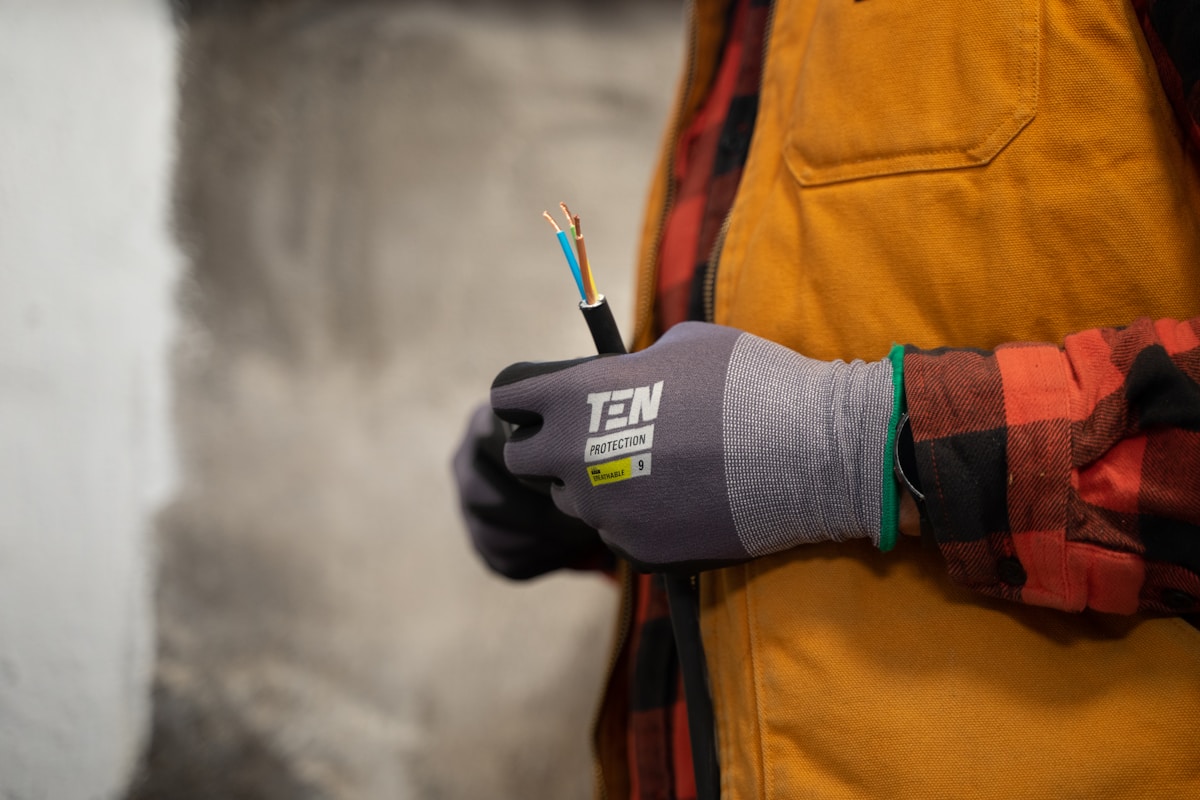
Why Dedicated Circuits Matter for Your Home Office
Probably should have led with this section, honestly. Picture this: You’re on an important video call with clients when suddenly your screen flickers, your computer restarts, and the space heater in the corner shuts off. Your home office was sharing a circuit with too many other devices, and the electrical load exceeded what the circuit could handle.
A dedicated circuit serves only one appliance or area. For home offices, this means having circuits specifically designated for your workspace rather than sharing power with the kitchen toaster, living room TV, or bathroom exhaust fan. The National Electrical Code (NEC) recommends dedicated 20-amp circuits for home office spaces, especially if you’re running multiple computers, monitors, printers, and other equipment.
The Real Cost of Circuit Overloads
Circuit overloads aren’t just inconvenient — they’re dangerous. When circuits are consistently overloaded, the wiring heats up, insulation degrades over time, and fire risk increases significantly. In 2023 alone, electrical fires caused over $1.3 billion in property damage across the United States. Many started in home offices that weren’t properly equipped to handle modern electrical demands.
Understanding Your Electrical Needs
Before calling an electrician, it helps to know what you’re working with. Most home electrical systems are either 100-amp or 200-amp service. Homes built before 1980 often have 100-amp panels, while newer construction typically features 200-amp service. Your home office needs depend on:
- Computer equipment: Desktop computers draw 200-500 watts, laptops typically use 50-100 watts
- Monitors: Each monitor adds 30-150 watts depending on size and type
- Printers: Laser printers can spike to 1,000+ watts when printing
- Supplemental heating/cooling: Space heaters draw 1,000-1,500 watts
- Lighting: LED lighting uses 10-50 watts for a typical office setup
Calculating Your Total Load
Add up all your equipment’s wattage and divide by circuit voltage (typically 120V) to find the amperage draw. A standard 15-amp circuit can safely handle about 1,440 watts continuously (using the 80% rule), while a 20-amp circuit manages 1,920 watts. If your home office equipment exceeds these numbers, you need multiple circuits or a dedicated subpanel.
Strategic Outlet Placement for Maximum Productivity
That’s what makes outlet placement endearing to us electricians — it’s about creating an efficient, safe workspace, not just plugging things in. The days of running extension cords across the floor are over. Modern home offices require thoughtful electrical planning that accounts for current needs and future expansion.

The Desk Zone
Your primary work area needs the most outlets. Install a minimum of four outlets within easy reach of your desk position — two on each side if possible. Consider adding outlets at desk height (approximately 28-30 inches from the floor) to eliminate crawling under furniture. USB outlets are particularly useful here, reducing adapter clutter for phones and tablets.
The Peripheral Zone
Printers, scanners, shredders, and other office equipment need their own outlet access. Position outlets along walls where this equipment will live, keeping cords out of walkways. For printer stations, install outlets 42-48 inches high to match typical stand height.
The Lighting Zone
Switched outlets for floor lamps give you control over ambient lighting without walking across the room. Install these outlets in corners or along walls where task lighting makes sense. Consider dimmer switches for overhead lights to reduce eye strain during video calls.
Code Requirements You Need to Know
The NEC has specific requirements for home electrical installations. For home offices, pay attention to these key regulations:
- AFCI Protection: Arc-fault circuit interrupters are required in bedrooms and living areas, which often include home offices. These devices detect dangerous electrical arcs that could cause fires.
- Outlet Spacing: Receptacles must be installed so that no point along a wall is more than 6 feet from an outlet. Home offices often need more than this minimum.
- Circuit Loading: The NEC limits continuous loads to 80% of circuit capacity, influencing how many outlets can share a circuit.
- Ground-Fault Protection: While not required in most office spaces, GFCI outlets are recommended near any water sources.
The Professional Installation Process
When you hire a licensed electrician for your home office upgrade, here’s what to expect:
Initial Assessment
The electrician evaluates your current electrical panel capacity, existing wiring condition, and determines the best routing for new circuits. They’ll discuss your equipment needs and future plans to design a system that grows with you.
Permitting
Most electrical work requires permits from your local building department. Professional electricians handle this process, ensuring all work meets local codes and passes inspection. Never skip the permit process — unpermitted work can affect insurance claims and home resale value.
Installation
New circuit installation typically takes one day for a basic home office setup. The electrician runs new wiring from your panel, installs outlets in planned locations, and ensures proper grounding throughout. Minimal wall repair is usually needed when using existing wall cavities.
Final Inspection
After installation, a building inspector verifies the work meets code requirements. Once approved, your electrician provides documentation of the completed work for your records.
Cost Considerations
Home office electrical upgrades vary in cost depending on scope and location. Budget approximately $200-400 per new outlet installed, including wiring back to the panel. Dedicated circuits cost $300-700 each, depending on distance from the panel and existing infrastructure. A complete home office electrical package including panel work, dedicated circuits, and multiple outlets typically runs $1,500-3,500.
Consider this an investment in your productivity and safety. The cost of proper electrical work is minimal compared to equipment damage from power surges or the catastrophic cost of an electrical fire.
Future-Proofing Your Home Office
Technology evolves rapidly, and your home office should be ready:
- Conduit installation: Running conduit during initial work makes future wire pulls easier
- Extra circuit capacity: Add one or two spare circuits for future equipment
- Whole-house surge protection: Protects all your equipment from power surges
- Smart outlets: Enable remote monitoring of energy use and device control
Taking Action
Your home office deserves electrical infrastructure that matches its importance in your life. Whether you’re setting up a new workspace or upgrading an existing one, proper circuits and outlet placement are foundational investments in your productivity, safety, and peace of mind.
Contact a licensed electrician to evaluate your current setup and discuss options for improvement. The consultation is typically free, and you’ll gain valuable insight into your home’s electrical capabilities. Don’t let inadequate wiring limit your remote work potential.



Stay in the loop
Get the latest wildlife research and conservation news delivered to your inbox.