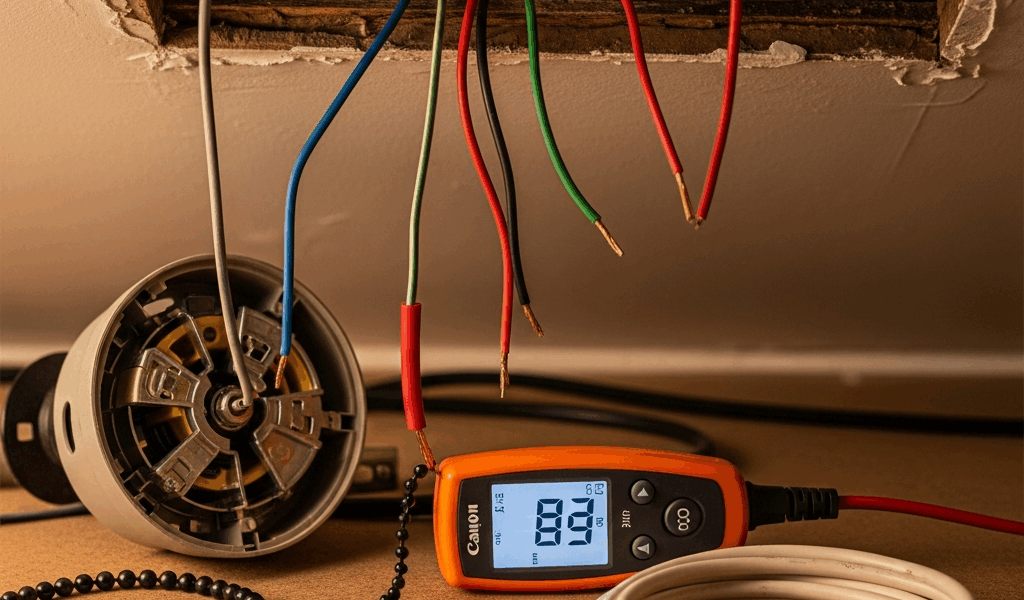
A typical bathroom exhaust fan uses 14 AWG copper on a properly designed 15-amp circuit or 12 AWG copper on a 20-amp circuit. That is the quick answer—not universal approval for an installation. The correct wire gauge still depends on the branch-circuit rating, fan or fan/light/heater instructions, wiring method, conductor material, local code and installation conditions.
Do not size wire from the fan’s wattage alone. Confirm the existing breaker, conductor material and size, all loads on the circuit, the equipment nameplate/manual and the locally adopted electrical code.
Quick answer: 14 AWG or 12 AWG?
| Branch circuit | Common minimum copper conductor | Important limit |
|---|---|---|
| 15 amp | 14 AWG copper | Only when the complete circuit and equipment instructions permit it |
| 20 amp | 12 AWG copper | Do not place standard 14 AWG branch-circuit conductors on a 20-amp breaker |
| Fan/light/heater or unusual installation | Model- and design-specific | Use the nameplate, exact manual, load calculation and adopted code |
Bathroom exhaust fan wire-size decision table
| Situation | What controls the decision |
|---|---|
| Fan-only replacement on an existing circuit | Existing circuit rating and wiring, fan instructions, condition of the circuit and local requirements |
| Fan/light combination | Total equipment configuration, switching conductors and the manufacturer’s diagram |
| Fan/light/heater | Nameplate load and manufacturer instructions; heater combinations often have special circuit requirements |
| New cable or new circuit | Load calculation, breaker rating, conductor ampacity, wiring method, local code and permits |
| Humidity sensor or multi-function control | Exact fan/control diagram and required switched/unswitched conductors |
Why the breaker size is only the starting point
Conductor size must be coordinated with the circuit’s overcurrent protection, but seeing a 15- or 20-amp breaker does not prove that the existing circuit is correct. Older wiring, aluminum conductors, shared loads, improper alterations or an incorrectly sized breaker require evaluation.
Do not increase breaker size to stop tripping without confirming the conductor ampacity and circuit design. The CPSC warns that overfusing can allow wiring to overheat and create a fire hazard.
The bathroom 20-amp rule is often misunderstood
The NEC bathroom branch-circuit provisions include a required 20-amp circuit for bathroom receptacle outlets. That does not mean every exhaust fan everywhere automatically needs its own 20-amp circuit. Whether other equipment may be supplied depends on the circuit arrangement, loads, adopted code edition and local amendments.
A fan with a heater is materially different from a fan-only unit. Follow the equipment instructions and have the complete circuit evaluated.
Use the exact manufacturer wiring diagram
Broan-NuTone installation documentation, for example, directs installers to provide grounded 120-volt wiring, comply with local codes and use the diagram for the specific single- or double-switch configuration. Other products may need separate conductors for a light, night-light, heater, boost mode or continuous power to an electronic control.
Generic instructions that say “connect black to black and white to white” are unsafe. Existing colors do not prove conductor function, and multi-function fans often use additional switched conductors.
When a permit or electrician is appropriate
Requirements vary by jurisdiction. Contact the local building department or a licensed electrical contractor before installing a new circuit, extending permanent wiring, changing circuit capacity or altering wiring in a bathroom. Professional evaluation is especially important when:
- the fan includes a heater;
- the breaker trips or wiring becomes warm;
- wire size or conductor material is uncertain;
- there is no equipment grounding conductor;
- the existing installation conflicts with the manual;
- multiple cables or controls cannot be positively identified; or
- new cable must be routed through concealed spaces.
Frequently asked questions
What gauge wire is used for a bathroom exhaust fan?
Often 14 AWG copper on a correctly designed 15-amp circuit or 12 AWG copper on a 20-amp circuit, subject to the equipment instructions and code. Verify the complete installation rather than relying on that generalization.
Does a bathroom fan need a dedicated circuit?
Not every fan-only unit does. A fan/heater combination or manufacturer instruction may require a dedicated circuit. Circuit loads and local rules must be checked.
Can a bathroom fan use the lighting circuit?
Some installations permit it, but the answer depends on circuit rating, loads, adopted code and equipment instructions. It cannot be determined safely from the fan wattage alone.
Can I use 14-gauge wire on a 20-amp breaker?
Do not use a generic article to approve that combination. Standard residential branch-circuit rules generally do not permit 14 AWG copper as the protected branch-circuit conductor on a 20-amp breaker. Have uncertain existing wiring evaluated.
Authoritative resources
- Broan-NuTone: fan/light installation and wiring instructions
- Broan-NuTone: bathroom fan installation support
- CPSC: Home Electrical Safety Checklist
- NFPA 70: National Electrical Code development and access
This guide explains selection factors; it is not a site-specific wiring design. Follow the listed equipment instructions, adopted local code and permit authority.
Smart controls can make a correctly wired fan continue after the wall switch is off. The bathroom fan won’t turn off guide explains humidity sensors, delay timers, continuous modes and the warning signs that require professional diagnosis.


Stay in the loop
Get the latest northwest electric pros updates delivered to your inbox.