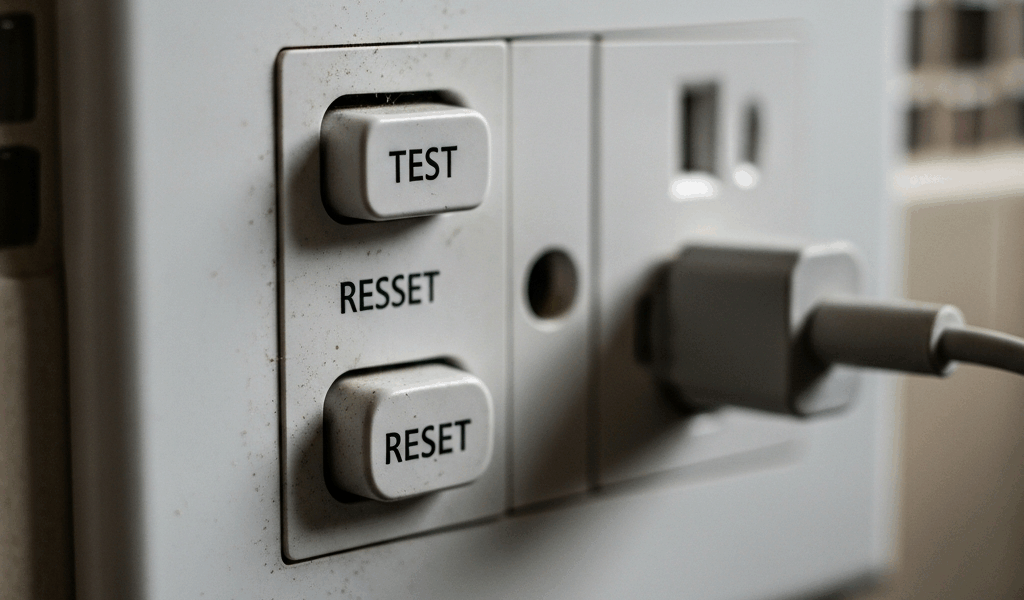
Quick answer: A GFCI that keeps tripping is detecting an imbalance, failing its self-test, losing upstream power, or responding to a wiring/device problem—it is not tripping “for no reason.” In a dry, undamaged area, disconnect accessible plug-in loads, follow the device’s labeled RESET instructions once, and reconnect one known-safe load at a time only if the GFCI passes its TEST/RESET sequence. Stop immediately for moisture, damage, heat, odor, buzzing, arcing, shock/tingling, or another trip with all accessible loads disconnected.
Do not remove the faceplate, pull the receptacle from the box, probe energized terminals, bypass the GFCI, or keep resetting it. A trip is a safety signal; diagnosis should preserve the protection while narrowing the fault.
GFCI keeps tripping: decision table
| What happens | Likely boundary | Safe next step |
|---|---|---|
| Trip began during rain or after water exposure | Moisture in receptacle, plug, cord, equipment or downstream circuit | Use the rain/wet-location safety process; do not reset while wet |
| Reset holds with every accessible load unplugged | A connected appliance, cord or device may be faulted | Reconnect one known-safe item at a time in a dry area; stop when the trip recurs |
| Trips with one particular item | That item, cord or its interaction with the circuit | Unplug and stop using it; have it evaluated |
| Trips with all accessible loads disconnected | GFCI, fixed wiring or inaccessible downstream load | Leave it off and call a qualified electrician |
| Will not reset at all | No line power, continuing fault, installation error or failed device | Stop after checking the dry, labeled breaker once |
| TEST/RESET behavior differs from device instructions | Protection may not be functioning correctly | Stop using the circuit and arrange evaluation/replacement |
What a GFCI trip means
A ground-fault circuit interrupter compares current leaving and returning on the circuit conductors. When the difference indicates current may be taking an unintended path, it interrupts power quickly to reduce shock/electrocution risk. The unintended path can involve moisture, damaged insulation, a person, grounded metal, a faulty appliance or wiring.
This differs from the primary job of a conventional circuit breaker, which protects conductors/equipment from overcurrent and short-circuit conditions. Some breakers combine GFCI and AFCI functions, so read the labels and manufacturer indicators rather than assuming every panel trip is an overload.
Before attempting a reset
Do not touch the GFCI, plug, appliance or panel if the area is wet, flooded or damaged. Keep others away and use qualified/emergency help appropriate to the hazard. For a trip specifically associated with rain, use the outdoor outlet and GFCI rain-safety guide.
Stop and leave power off if you observe:
- standing water or equipment that was submerged;
- scorching, melting, cracks, looseness or discoloration;
- heat, burning odor, buzzing, popping or arcing;
- a shock, tingle or damaged cord/plug;
- a tripped or damaged panel in a wet location.
Safe dry-area troubleshooting sequence
- Identify the affected receptacles/equipment without opening boxes.
- Disconnect accessible plug-in loads from dry, undamaged receptacles. Do not handle wet or damaged plugs.
- Inspect visible cords, plugs and equipment for damage; remove suspect items from service.
- Follow the GFCI manufacturer’s RESET instructions once.
- Use the labeled TEST button and confirm the result exactly matches the device instructions.
- If protection passes and remains set, reconnect one known-safe load at a time.
- If one item causes a trip, unplug it and stop using it. Do not move it to an unprotected outlet.
- If the GFCI trips again with all accessible loads disconnected, leave it off and call a qualified electrician.
Do not use a screwdriver, meter probe or faceplate removal as a homeowner diagnostic. Voltage can remain present at line terminals even when downstream receptacles appear dead.
Why a GFCI may not reset
A GFCI generally needs proper incoming power and a safe condition to reset. Manufacturer guidance identifies several possible causes:
- the upstream breaker or another GFCI is tripped;
- a ground fault is still present;
- the device has failed or reached end of life;
- line/load wiring is incorrect after installation or replacement;
- an open/loose upstream connection prevents line power.
Modern reset-lockout behavior can intentionally prevent restoration when protection is unavailable or wiring is incorrect. Forcing the button or cycling it repeatedly defeats the diagnostic signal and may increase risk.
Connected equipment is a common fault source
Outdoor tools, pumps, refrigerators/freezers, heaters, washing equipment, aquarium equipment, holiday decorations, extension cords and chargers can develop leakage or moisture paths. The GFCI may trip only when a motor starts, a heating element energizes or a damp component is active.
If a particular item consistently triggers the trip:
- disconnect and tag it out of use;
- do not bypass protection or use a different unprotected circuit;
- inspect only externally for cord, plug, housing or moisture damage;
- follow the manufacturer/service process for evaluation.
A successful run on another outlet does not prove the equipment is safe; the alternate outlet may not provide equivalent protection or conditions.
Why trips can appear intermittent
An intermittent trip may follow condensation, rain, irrigation, appliance cycles, vibration, temperature, cable movement or cumulative leakage from several devices. Record the time, weather, equipment operating and affected locations without repeatedly recreating the fault.
Useful non-invasive evidence includes:
- whether the trip occurs with all plug-in loads removed;
- which single device/cycle precedes it;
- whether rain or humidity correlates with the event;
- whether the GFCI and breaker indicators match their manuals;
- which downstream receptacles lose power.
Do not open junction boxes to map the circuit. An electrician can isolate branches, test insulation/leakage and verify line/load/neutral conditions safely.
Fixed-wiring causes require qualified testing
When trips continue without accessible loads, possible causes include moisture in a box, damaged cable, neutral-to-ground connection downstream, shared/misrouted neutral, incorrect line/load termination, failing receptacle, contaminated equipment, or an inaccessible hardwired load.
These conditions cannot be distinguished by looking at the reset button. De-energized verification, test equipment, circuit knowledge, listing instructions and locally adopted code requirements may be needed. Do not prescribe a replacement GFCI until the fault is identified.
GFCI, AFCI and dual-function protection
GFCI addresses ground-fault shock hazards; AFCI addresses hazardous arcing signatures; a dual-function device provides both types. The appropriate protection depends on the circuit, occupancy, adopted code and equipment. Use the GFCI versus AFCI guide for the functional distinction.
Do not replace one type with another simply to stop nuisance trips. A new device must preserve all required protection and be compatible with the circuit and enclosure.
When to call an electrician
- The device trips again with all accessible loads disconnected.
- It will not reset or cannot pass the manufacturer’s test sequence.
- The trip follows rain, water entry, flooding or recurring condensation.
- There is heat, odor, noise, arcing, damage or a shock/tingle.
- A hardwired appliance or multiple downstream locations are involved.
- The installation was recently changed or line/load wiring is uncertain.
- The panel/breaker also trips or shows damage.
Call emergency services for smoke, fire or active arcing. Do not use water on energized equipment.
Maintenance and prevention
- Use the TEST function at the interval stated by the manufacturer; CPSC commonly recommends monthly testing.
- Replace a GFCI that fails its labeled test through a qualified/authorized installation process.
- Keep wet-location covers closed and maintain listed weather protection.
- Remove damaged cords/appliances from service.
- Do not overload receptacles or rely on adapters that defeat grounding/protection.
- Have recurring trips investigated instead of normalizing them.
Frequently asked questions
Can a GFCI trip with nothing plugged in?
Yes. A fixed-wiring fault, moisture, downstream receptacle, hardwired load, incorrect neutral/line-load condition or failed GFCI can remain. Leave it off and obtain qualified diagnosis.
Should I replace the GFCI first?
Not without evidence. A new device can trip on the same real fault, and installation errors can remove protection. Diagnose the circuit and follow listing/local requirements.
Can I bypass the GFCI temporarily?
No. Bypassing shock protection can expose people to electrocution risk and can violate code/product requirements.
Why does it trip only when an appliance starts?
The operating cycle may activate a faulted motor, heater, pump or moisture path. Disconnect the item and have it evaluated; do not move it to an unprotected outlet.
How many times should I reset it?
Once in a dry, undamaged condition after accessible loads are removed. Another trip or failed TEST/RESET sequence means stop.
Authoritative references
- U.S. CPSC: GFCI Fact Sheet
- U.S. CPSC: Home electrical safety and GFCI testing
- Leviton: GFCI status indicators and TEST/RESET behavior
- Leviton: GFCI reset lockout
Safety and product sources were checked in August 2026. Product instructions, locally adopted code, the authority having jurisdiction and a qualified site evaluation control the installation.
If the device is in the panel rather than a receptacle, use the breaker-tripping safety checklist and avoid opening the panel.




Stay in the loop
Get the latest northwest electric pros updates delivered to your inbox.